

Claude Cowork is a feature inside the Claude desktop app that gives Claude direct access to files on your computer. Available on Pro and Max plans, it reads, edits, and saves PowerPoints, Word docs, Excel spreadsheets, and PDFs — without you uploading a single file. You point it to a folder, give it an instruction, and it works.
What Is Claude Cowork?
Most people use Claude through the chat window — you type, you paste, maybe you upload a file. That's the standard workflow. But there's a second tab sitting right inside the Claude desktop app that most users never click: Cowork.
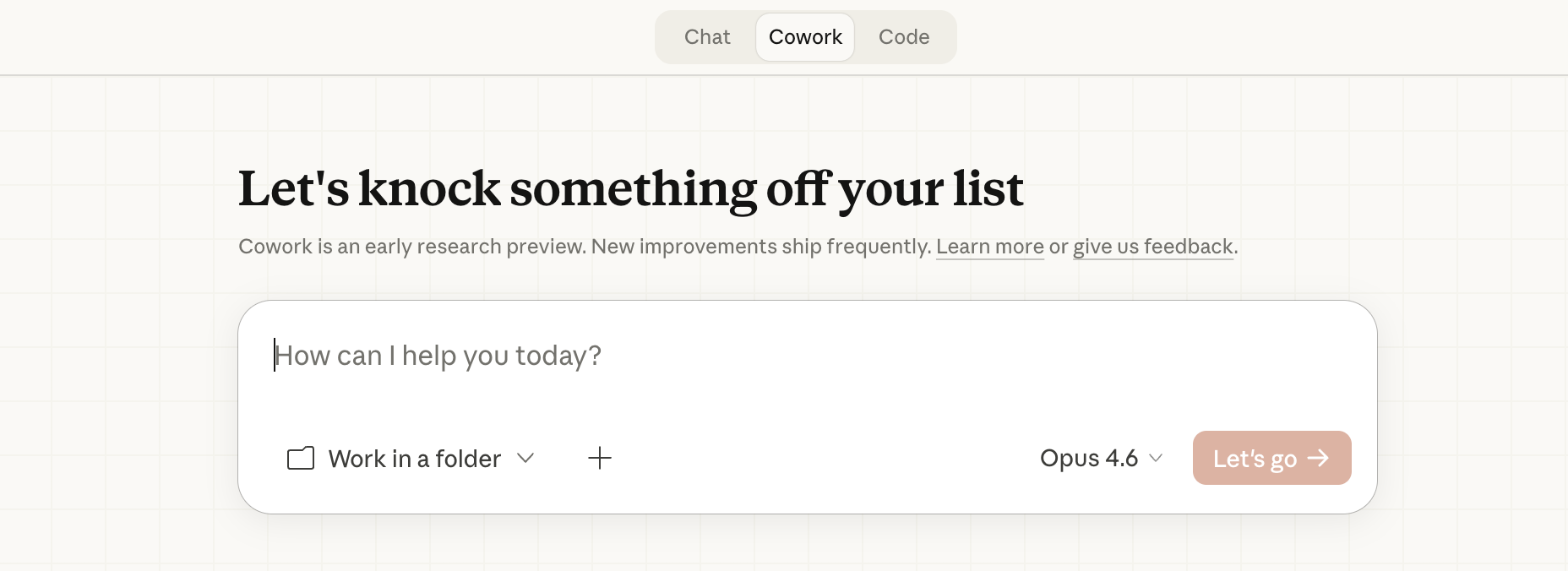
Cowork is not a separate app. It is not a plugin you install. It is a tab built directly into the Claude desktop app, sitting next to Chat and Code at the top of the screen. When you click it and select a folder on your computer, Claude gets read and write access to every file inside that folder.
That means Claude can open your PowerPoint, read all your slides, make the changes you describe, and save the updated file — all without you doing anything more than typing an instruction. No exporting. No uploading. No downloading a revised version and swapping the file out manually.
This is a fundamentally different relationship between AI and your files. Instead of AI working on a copy of your content, Cowork lets Claude work on the actual file, on your actual computer.
How I Used It on My Pitch Deck
I had a PowerPoint presentation sitting in a folder on my Desktop. I had been putting off updating it because every time I thought about opening it, I dreaded doing the reformatting by hand — adjusting the font sizes, rewriting the bullet points, adding a summary slide at the end.
Instead of opening PowerPoint, I opened Claude, clicked the Cowork tab, and clicked "Work in a folder." I selected the Desktop folder where my file lived. Claude could immediately see the file.
I typed one instruction: "Open my pitch deck, change the font colors to match a dark professional theme, clean up the bullet points so they're tighter, and add a summary slide at the end."
Claude read every slide, made the edits I described, and saved the updated file. I opened it in PowerPoint and the changes were there. Not a copy. Not a download. My actual file, updated.
What makes Cowork interesting isn't just the time it saves — it's what it signals about where AI is headed. We spent the first wave of AI tools learning how to move content into AI. Copy this. Paste that. Upload here. The friction of getting your work into the AI was the whole problem. Cowork removes that friction entirely. Claude comes to your files. That shift — from you serving the AI to the AI working inside your actual workflow — is the model that wins long-term.
How to Set It Up in Four Steps
Cowork is available on the Claude Pro plan ($20/month) and the Max plan. It is not available on the free tier. If you're already on Pro, here is exactly how to get started:
- Download the Claude desktop app. Go to claude.ai/download and install it for Mac or Windows. This is not the same as the Claude website in your browser — you need the actual desktop app.
- Update to the latest version. If you already have the app but don't see the Cowork tab, your version is outdated. On Mac, click the Claude icon in your menu bar and select "Check for Updates."
- Click the Cowork tab and select your folder. Once you're in the app, click Cowork at the top of the screen, then click "Work in a folder" and navigate to where your file lives.
- Give Claude an instruction. Type exactly what you want done. Claude will open the file, make the changes, and save it back — no upload required.
One thing to know: you select a folder, not a specific file. Claude can see all files in the folder you select. Be specific in your instructions about which file to work on if the folder has multiple files.
Also: the file format stays intact. If you give Claude a .pptx, you get back a .pptx. Claude is not converting your files — it's editing them in place.
Claude Cowork turns Claude from a chat tool into a file editor. Available now in the Claude desktop app for Pro and Max plan users — you give it a folder, give it an instruction, and it edits your actual PowerPoints, Word docs, spreadsheets, and PDFs without uploading a single file.