Two tools today. That's all. By the end, VS Code is installed and Claude, your AI developer, says hello back.
Why these two tools?
VS Code is your digital workshop, the space where everything gets built.
Claude Code is your AI software developer, the one who actually builds it with you.
Together they let you build real software without becoming a traditional programmer. That is the whole unlock. Today we just get them both set up.
Come with: your Claude Code subscription (Claude Pro or Max). That is the only paid tool. Everything else today is free.
1 Install VS Code
Your workshop.
code.visualstudio.com
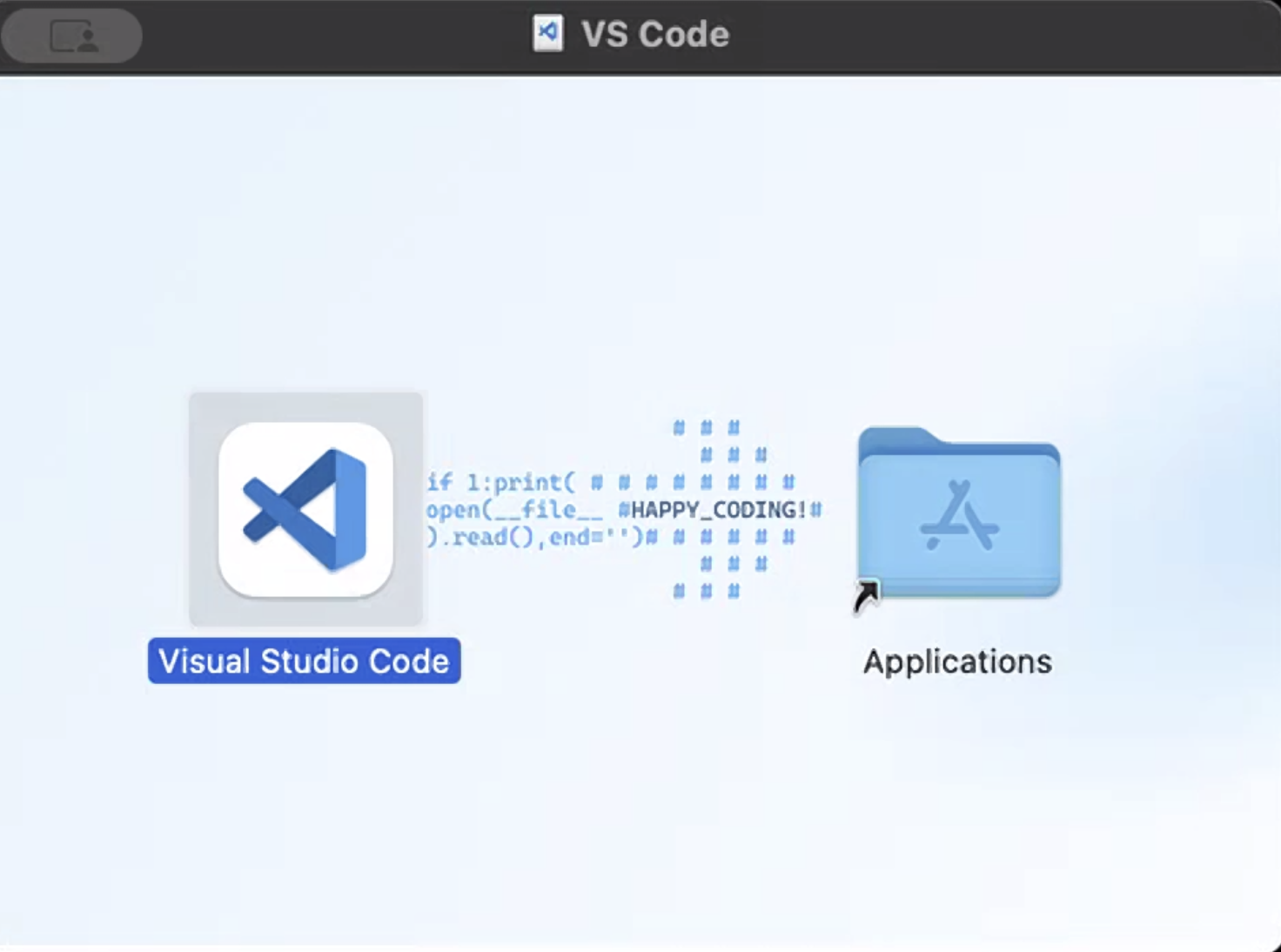
🍎 Mac Download Universal and open the downloaded file. A window pops up showing the VS Code icon and an Applications folder.
👉 You have to drag it in. Drag the Visual Studio Code icon on top of the Applications folder to install it. Then open VS Code from your Applications. If you see "are you sure you want to open it," click Open.
🍎 Mac: drag the icon onto the Applications folder.
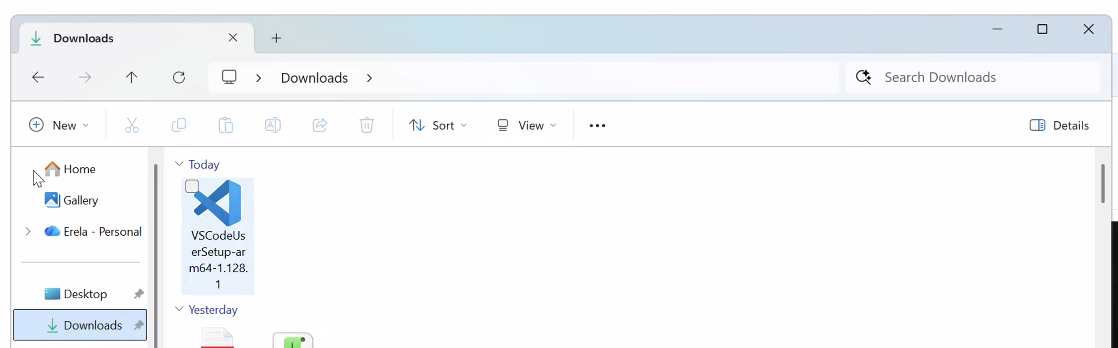
🪟 Windows: open File Explorer → Downloads, then double-click the VSCodeUserSetup file to run it.
If Universal won't open, pick Apple Silicon (M1/M2/M3) or Intel instead, check under Apple menu → About This Mac → Chip.
🪟 Windows No dragging, download the 64-bit User Installer, run it, and click Next → Install through it. If you see "Windows protected your PC," click More info → Run anyway.
2 Install the Claude Code extension
Your AI developer.
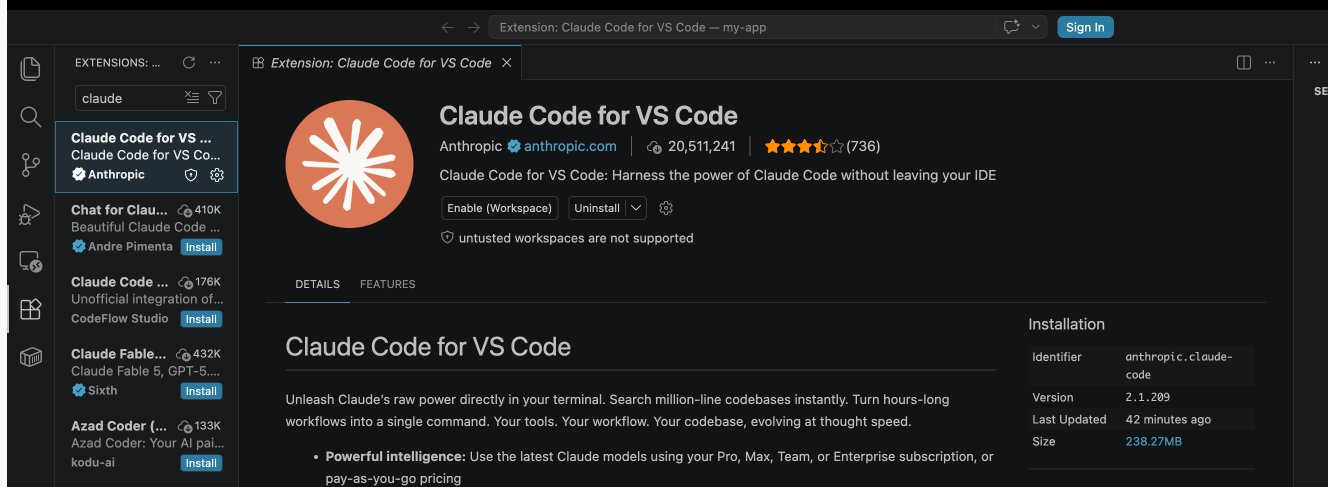
Click the Extensions icon on the left sidebar, search Claude Code, install the one by Anthropic (blue check), then sign in with your Claude account.
👉 If the extension page shows an Enable or Enable (Workspace) button, click it. A disabled extension won't show its icon, this is the #1 reason the Claude sunburst doesn't appear. Then it asks "Do you trust the authors of the files in this folder?", click Yes, I trust the authors and continue.
If you see "Enable (Workspace)," click it.
Same on Mac and Windows.
3 Say hello
Your first win.
Open a fresh folder so Claude has a home base: File → Open Folder, make a new empty folder on your Desktop (like my-app), and open it.
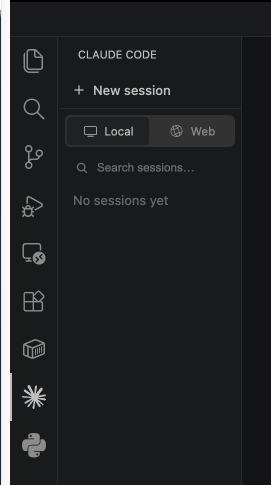
Then click the Claude sunburst icon in the left sidebar. When the panel opens, make sure Local is selected (not Web), click + New session, and type:
Type this to Claude
Hi, are you working?
Local selected, then + New session.
👉 When Claude replies back to you, you're done. Your AI developer is awake and ready.
🎉 That's Day 1. Your workshop is built and your AI developer is awake. You did the hardest part, the setup. Everything from here is building.
Stuck on setup? Don't do it alone.
Setup is where most people quit. Inside the Leveraging AI Community, Dr. Erin Jacques answers your questions, troubleshoots what's not working, and walks with you as you build, launch, market, and grow your platform.
Tomorrow, Day 2: we choose what you're going to build.
Troubleshoot & FAQ
VS Code won't install or open (Mac)
Skip Universal and download the one that matches your Mac: Apple Silicon (M1/M2/M3) or Intel. Not sure which? Apple menu → About This Mac → look at "Chip."
I don't see the Claude sunburst / icon
Open the Extensions panel (four squares) and click Claude Code. If it shows an Enable or Enable (Workspace) button, click it, a disabled extension won't show its icon. Then the sunburst appears in the left sidebar on its own. If asked to trust the folder or reload, say yes.
It asks me to trust the folder or approve something
That's normal and safe. Click Yes, I trust the authors and say Yes / Approve to anything it asks so it can keep working.
I got a security warning opening the app
Mac: "are you sure you want to open it?" → click Open. Windows: "Windows protected your PC" → click More info → Run anyway.
Do I have to pay for anything?
Just your Claude Code subscription (Claude Pro or Max). VS Code is free. Nothing else is needed today.
What's the difference between VS Code and Claude Code?
VS Code is the workshop, the app where your project lives on your computer. Claude Code is the AI developer that works inside that workshop and builds for you. You need both: the room, and the builder in the room.